
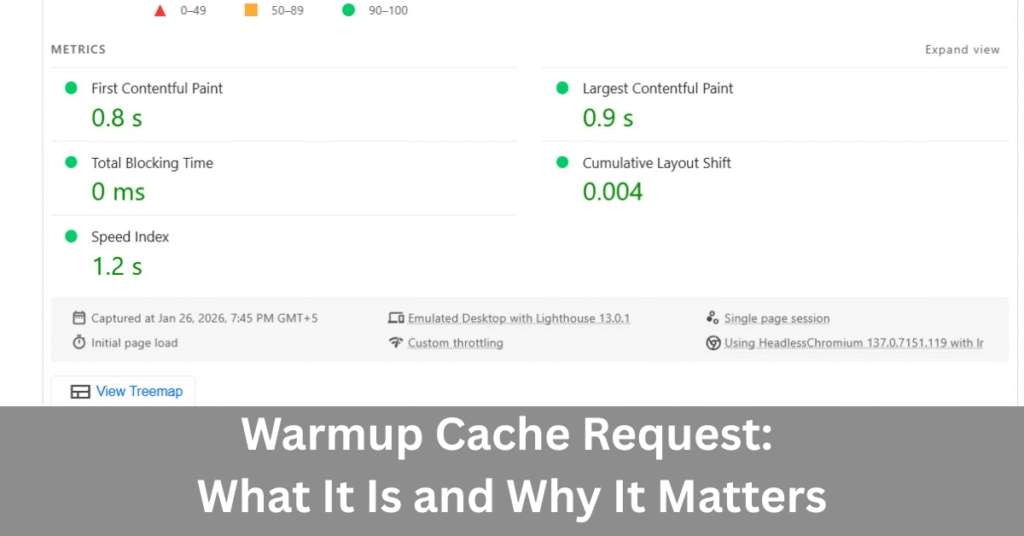

Ever clicked on a website and felt like it took forever to load? Chances are, caching—or the lack of it—played a role. This is where a warmup cache request comes into the picture.
A warmup cache request is a proactive technique used to preload cached content before real users arrive. Instead of serving slow, uncached pages to the first visitor, your site delivers fast, ready-to-go content from the start. In this article, we’ll break down how warmup cache requests work, why they matter for SEO, and how you can use them to improve performance.
What Is a Warmup Cache Request?
A warmup cache request is a background request sent to a website or server to generate cached versions of pages in advance. Think of it as “preheating” your website so it’s ready to serve visitors instantly.
How Cache Warming Works
When a warmup cache request is triggered:
-
The server processes the page once
-
Static or cached versions are stored
-
Future visitors get faster load times
This is especially useful after:
-
Clearing cache
-
Deploying updates
-
Restarting servers
-
Publishing new content
Why Warmup Cache Requests Are Important
1. Faster Page Load Times
Without cache warming, the first user pays the performance cost. A warmup cache request removes that delay.
2. Better SEO Performance
Google prioritizes fast websites. Cache warming helps improve:
-
Core Web Vitals
-
Time to First Byte (TTFB)
-
Crawl efficiency
3. Improved User Experience
No one likes waiting. Faster pages mean:
-
Lower bounce rates
-
Higher engagement
-
Better conversion rates
Warmup Cache Request vs Cold Cache
| Feature | Cold Cache | Warmup Cache Request |
|---|---|---|
| First load speed | Slow | Fast |
| Server load | High | Optimized |
| SEO impact | Negative | Positive |
| User experience | Poor | Smooth |
A warmup cache request ensures your site never starts “cold.”
When Should You Use Warmup Cache Requests?
Warmup cache requests are most effective in these scenarios:
-
After clearing website cache
-
Post-deployment of new code
-
During traffic spikes
-
On high-traffic landing pages
-
For eCommerce product pages
-
After CDN or server restarts
How to Implement a Warmup Cache Request
1. Using Cache Plugins
Many WordPress caching plugins support automatic cache warming:
-
WP Rocket
-
W3 Total Cache
-
LiteSpeed Cache
2. Scheduled Cron Jobs
Advanced users can trigger warmup cache requests using cron jobs that periodically request important URLs.
3. CDN-Based Cache Warming
CDNs like Cloudflare and Fastly offer cache preloading features.
Best Practices for Warmup Cache Requests
To get the most out of your cache request strategy:
-
Prioritize high-traffic pages
-
Avoid warming unnecessary URLs
-
Schedule requests during low traffic
-
Monitor server load
-
Combine with lazy loading and compression
Common Mistakes to Avoid
Overloading the server with too many requests
Warming low-value or duplicate pages
Ignoring mobile cache variants
Forgetting multilingual or regional pages
A smart warmup cache request plan is about balance, not brute force.
How Warmup Cache Requests Help AI & Search Engines
Search engines and AI crawlers prefer:
-
Fast responses
-
Consistent performance
-
Stable server behavior
By using warmup cache requests, you help crawlers index your site faster and more efficiently—especially important for large or dynamic websites.
FAQs About Warmup Cache Requests
What is a warmup cache request in simple terms?
It’s a way to load pages in advance so visitors don’t experience slow loading times.
Does cache warming improve SEO?
Yes. Faster websites rank better and offer better crawl efficiency.
Is warmup cache request necessary for small websites?
It’s not mandatory, but still helpful—especially after updates or traffic spikes.
Can warmup cache requests increase server load?
If misconfigured, yes. That’s why it’s important to limit and schedule them properly.
Do CDNs support warmup cache requests?
Most modern CDNs support some form of cache preloading or warming.
Also Read: What Does TLDR Mean?
Conclusion
Absolutely. A warmup cache request is one of the simplest yet most effective ways to improve website speed, SEO, and user experience. Whether you run a blog, an online store, or a high-traffic platform, cache warming ensures your site is always ready to perform.
If you’re serious about performance optimization, start by implementing a warmup cache request strategy—and then explore related topics like CDN optimization, Core Web Vitals, and advanced caching techniques.